Why does my WhatsApp video look too wide on a phone screen?
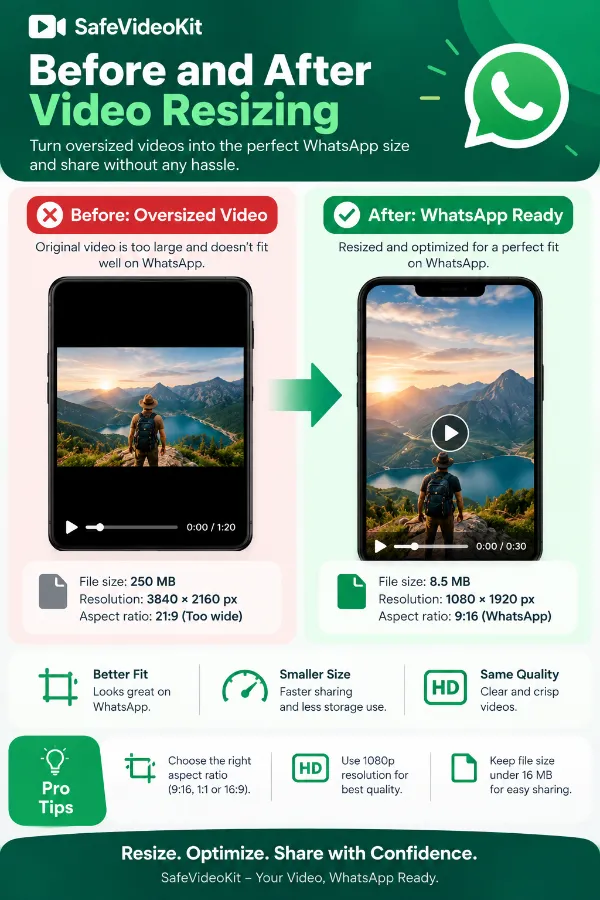
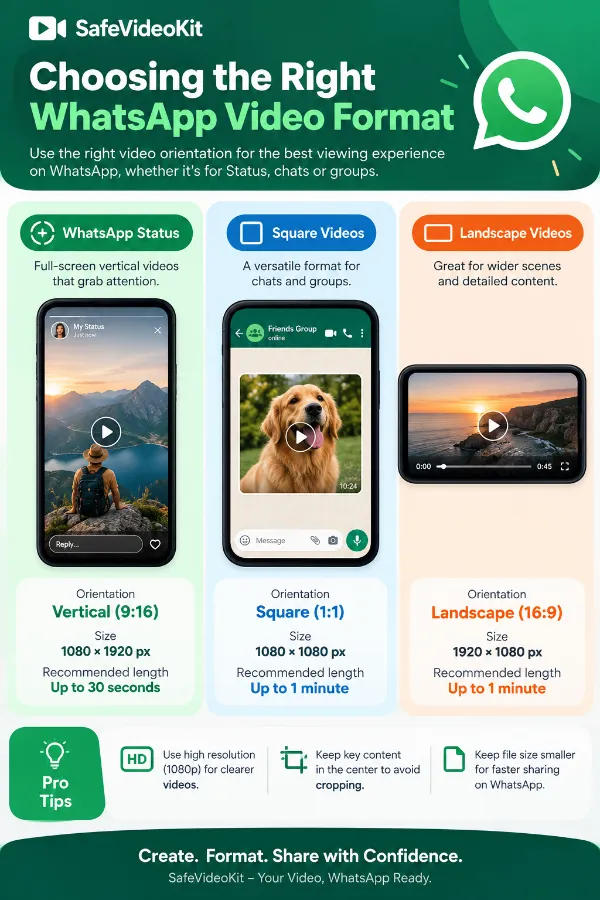
A video recorded in landscape orientation has a much wider frame than a typical portrait phone display. Resizing it to a more suitable vertical format can give you a better-shaped output for mobile viewing.
Why are parts of my video difficult to see after resizing?
This can happen when the original video and the selected output have very different proportions. Important objects near the edges of the original frame may not appear in the same way after the dimensions are changed.
Will resizing fix a video that was recorded in the wrong orientation?
Resizing can change the output dimensions, but it does not automatically correct every framing or orientation problem in the original recording. A video may still need separate cropping or editing if its composition does not suit the new shape.
Why does my subject appear smaller after resizing?
Changing the dimensions does not necessarily enlarge the subject within the frame. If the original recording contains a lot of empty space around the subject, that space can remain visible in the resized version.
Can resizing remove black bars from a video?
Not. Black bars that are already part of the source video may remain after resizing because they are part of the original image area. Resizing the overall dimensions does not automatically remove content that has been recorded into the frame.
Can resizing make a blurry WhatsApp video sharper?
No. Resizing changes the video's dimensions but does not restore detail that was already lost in a low-quality or heavily compressed source. Enlarging a blurry recording may actually make its softness more noticeable.
Is it better to resize a video before sending it through WhatsApp?
If the original video's dimensions are unsuitable for the way you want it displayed, resizing beforehand gives you more control over the output dimensions. It lets you prepare the video before it goes through the sharing process.
Why does a video recorded on my phone have unexpected dimensions?
Phone cameras can record using different resolutions and aspect ratios depending on the camera mode, device settings, and orientation. As a result, two videos recorded on different phones may have different dimensions even when they look similar.
Can a 4K video be resized for WhatsApp?
A supported 4K source can be resized to a smaller target resolution. Reducing the dimensions can make the output more appropriate for mobile sharing, although the resulting file's size also depends on its other video properties.
What happens when a high-resolution video is reduced to a smaller size?
The output contains fewer pixels than the original, so some fine detail may be lost. However, reducing a very large source to a smaller practical resolution can still produce a clear result when viewed on a phone.
What happens when a small video is enlarged?
Increasing the dimensions does not recreate detail that was absent from the original recording. The enlarged output may therefore appear softer or less detailed than a video that was originally recorded at a higher resolution.
Can I resize a long WhatsApp video?
The resizing operation changes the video's dimensions rather than automatically shortening its duration. The practical result can still depend on the video's size, format, and other properties.
Does changing video dimensions change the frame rate?
Changing the dimensions is a separate operation from changing the frame rate. The selected output size determines the video's dimensions, while frame rate is a different video characteristic.
Does resizing remove the audio from a video?
Changing the video's dimensions is not the same as removing its audio. Whether the audio is retained in the exported file depends on the tool's video-processing behavior and the source file.
Can resizing help when WhatsApp has difficulty handling a very large video?
Reducing the video's dimensions may reduce the amount of visual data that needs to be stored, but it does not guarantee a particular file size. A large video can remain large because duration and encoding also affect its size.
Can I resize a video that was recorded upside down or sideways?
Resizing itself is intended to change dimensions rather than correct every orientation problem. If the source has an incorrect orientation, that issue may need to be handled separately from the resizing process.
Does resizing affect the video's original aspect ratio?
The output dimensions determine the aspect ratio of the resulting video. If the source and target dimensions have different proportions, the output will have a different aspect ratio from the original.
Can I resize a video that was edited in another application?
Yes, as long as the resulting video is supported by the tool. This can be useful when an already-edited video needs its dimensions changed without reopening the original editing project.
Is resizing the same as cropping a WhatsApp video?
No. Resizing changes the dimensions of the video, while cropping removes part of the visible image to create a different frame. The two operations can produce different results when the source and target proportions do not match.
Is resizing the same as compressing a WhatsApp video?
No. Resizing changes the video's width and height, while compression primarily aims to reduce the amount of data used by the file. A smaller video dimension may influence file size, but resizing alone should not be described as a dedicated compression process.