





FEATURED TOOLS

Video To Pdf
Convert Video To Pdf
FEATURED TOOLS

Extract Audio
Extract Audio From A Video
Convert Video To Pdf
Extract Audio From A Video
Convert GIF animations into videos with sound
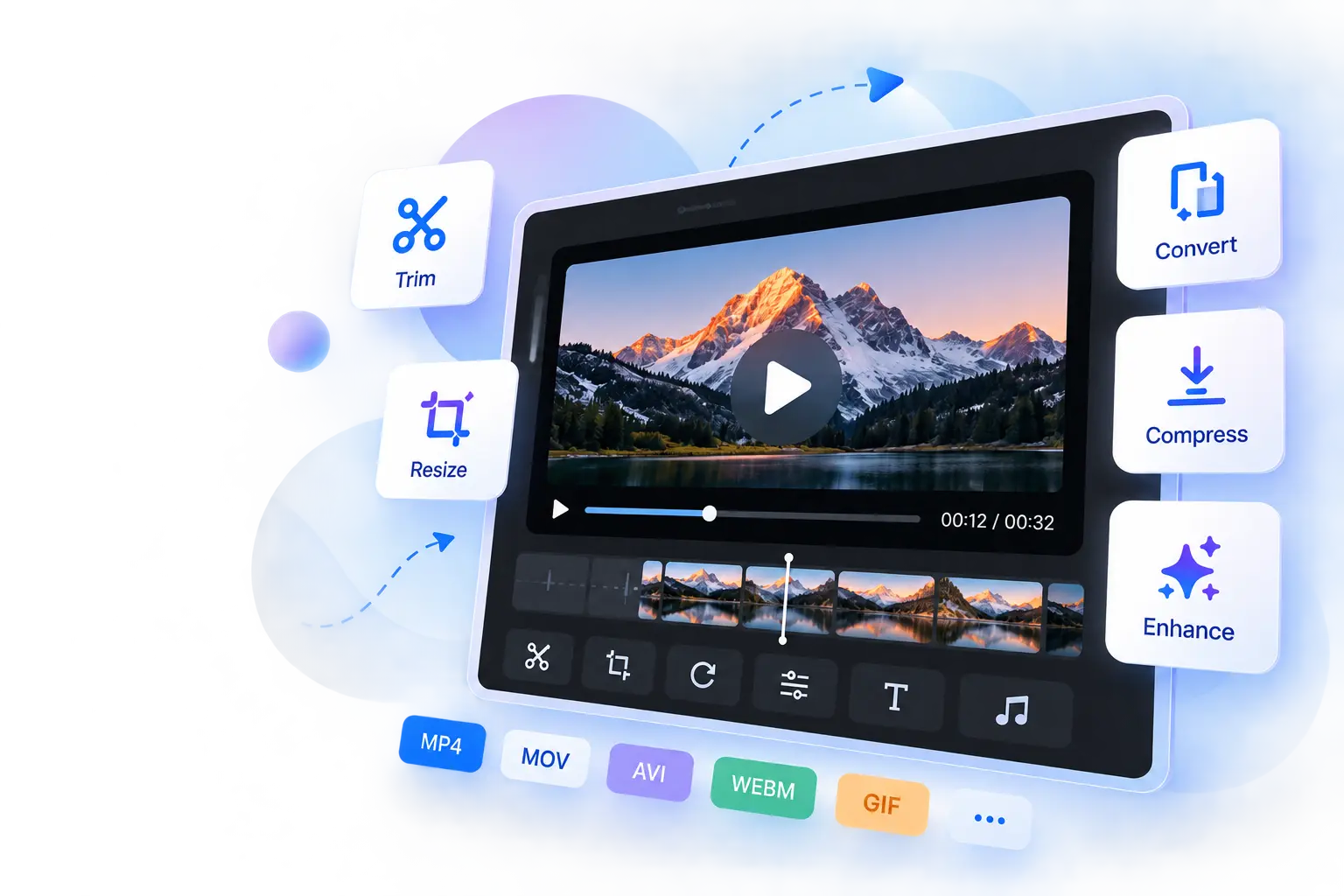

Start by uploading your GIF from the method that's most convenient for you. Select a file from your device, drag and drop it into the upload area, or import it directly from Google Drive or Dropbox. These flexible upload options make it easy to begin editing your GIF without unnecessary steps, whether you're working from a computer or cloud storage.

Click Add Music to upload the soundtrack you want to combine with your GIF. Once added, use the built-in play and pause controls to preview how the music works with the animation. Reviewing the playback before exporting helps you confirm that the soundtrack goes with the movement and overall feel of your GIF.

Crop your GIF to remove unwanted edges or focus attention on the most important part of the animation. This is useful for creating cleaner visuals, adjusting the framing, or preparing GIFs for different platforms. Making these changes before downloading helps produce a more polished final result.

Review your edited GIF before downloading using the available preview tools. Play or pause the animation, open it in Picture-in-Picture (PiP) mode, or switch to full-screen view for a larger preview. These viewing options help you inspect both the visuals and the added music before exporting the finished video.

Add music to your GIF without creating an account or installing additional software. Your files are processed securely throughout the editing process. Your files are processed locally in your browser, helping keep your content private without uploading it to external servers. The original GIF remains unchanged while a new video is created with the added music.

Use the Add Music to GIF tool directly from your web browser on desktops, laptops, tablets, or smartphones. Whether you're editing at home, in the office, or while traveling, you can upload your GIF, add music, preview the result, and download the finished video without switching devices or installing software.

Other useful information
Explore our visual guides and infographics
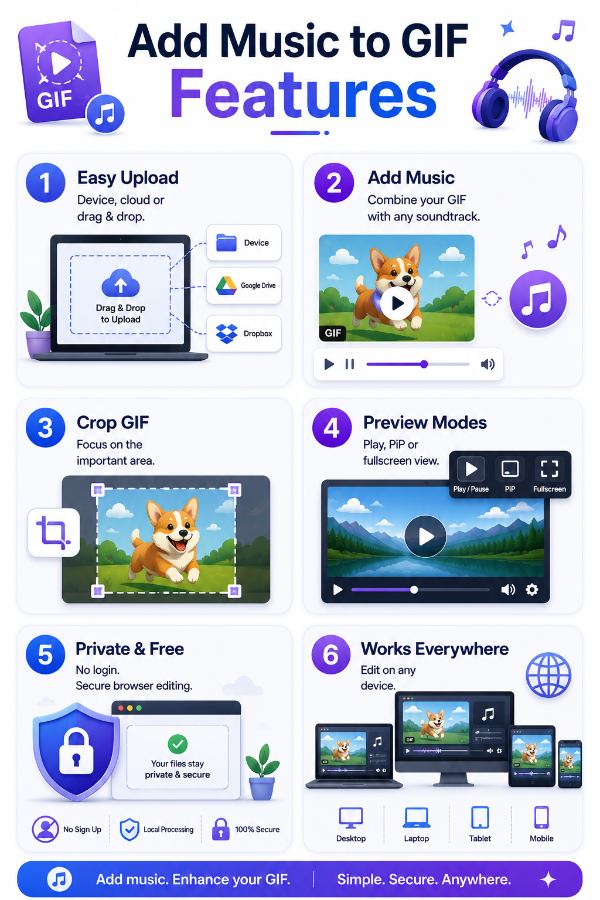
The infographic outlines the key features of the add music to gif tool
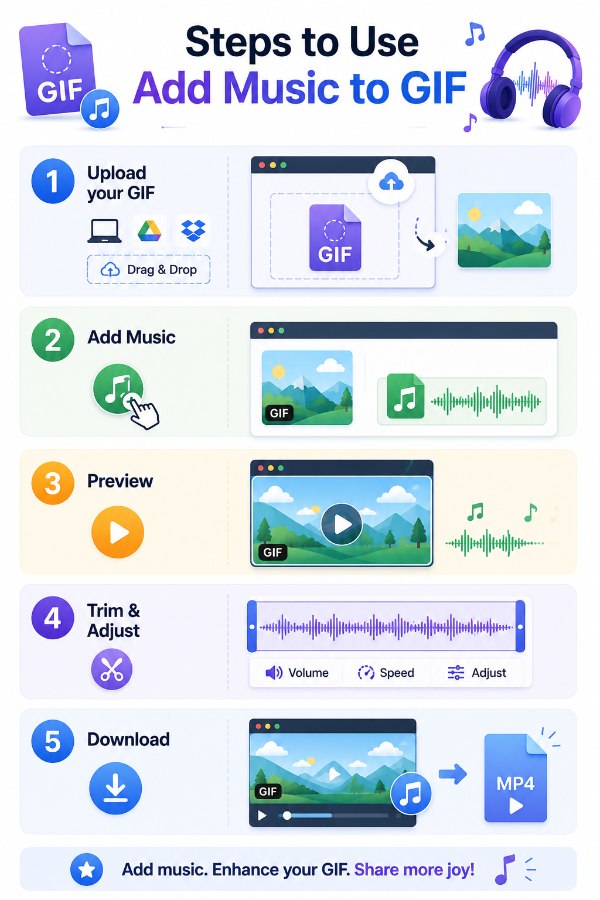
The infographic explains the steps to use the add music to gif tool
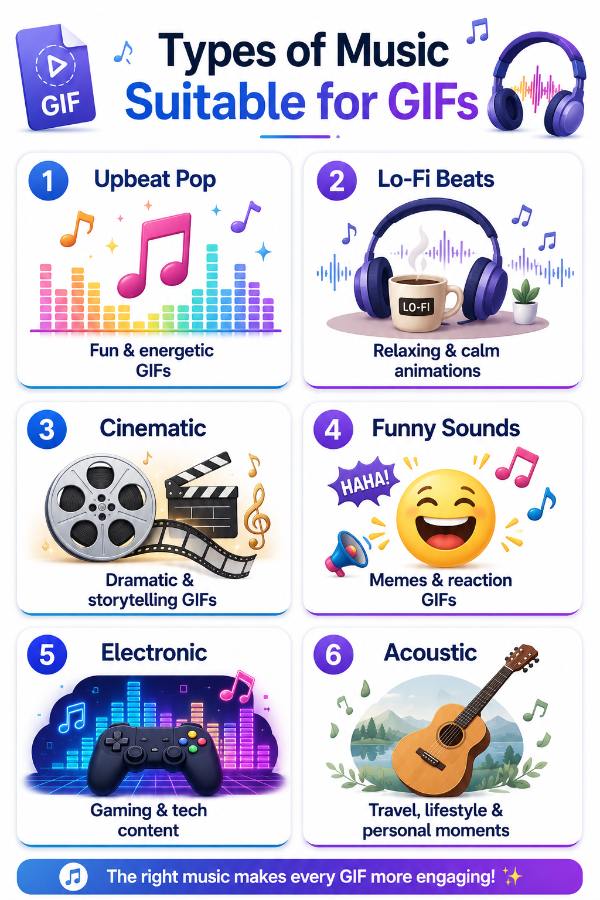
The infographic illustrates which types of music are appropriate for gifs.
Frequently Asked Questions
An Add Music to GIF tool lets you combine an animated GIF with a music file to create a video containing both animation and sound. Since GIF files don't support audio, the tool generates a new video version that can be shared on platforms supporting video playback.
The GIF format only stores animated images and does not include audio support. To hear music along with your animation, the GIF needs to be converted into a video format that can contain both visuals and sound.
Your original GIF remains unchanged. The tool creates a new video containing the animated GIF and the selected music track, allowing you to download and share the finished version with both visuals and audio.
Yes. The animation remains intact while the selected music is added during the conversion process. The final output preserves the movement of your GIF while making it playable with audio.
Yes. Adding music can make reaction GIFs feel more expressive and entertaining. Whether you're sharing humorous reactions or emotional moments, a suitable soundtrack can make the animation more enjoyable for viewers.
Yes. Background music can give meme GIFs extra personality and make them more entertaining when shared as videos. A suitable soundtrack can enhance the joke or match the mood of the animation.
Yes. Holiday GIFs become more engaging when paired with festive music. This is useful for creating greetings for Christmas, New Year, Diwali, Eid, or other special occasions before sharing them online.
Yes. Since many social media platforms support videos better than GIFs with audio, converting your GIF into a video with music makes it easier to share engaging content on Instagram and similar platforms.
Yes. Simply upload the music file you want to use along with your GIF. After previewing the result, you can download the finished video containing your chosen soundtrack.
Previewing lets you check whether the selected music complements the speed and mood of the animation. It also gives you an opportunity to review the final result before saving the completed video.
Yes. If your GIF contains unnecessary edges or unwanted areas, you can crop it before exporting. This helps create a cleaner final video while keeping the focus on the most important part of the animation.
The visual quality mainly depends on the export settings used during processing. Adding music doesn't reduce the animation quality, and previewing before downloading lets you review the finished result.
Picture-in-Picture opens your preview in a small floating window while you continue using other applications. This allows you to keep watching your animated GIF with music without keeping the editor open on the entire screen.
Full-screen mode gives you a larger view of your animation, making it easier to review image quality, movement, and how well the selected music fits before downloading the finished video.
Yes. Your files are processed securely throughout the editing process. After adding your music and reviewing the result, you can download the finished video while keeping your original GIF unchanged.
A GIF with music is useful when you want to create a more engaging presentation, promotional clip, greeting, or social media post. Adding a soundtrack can make short animations feel more lively and memorable for viewers.
Videos support both animation and audio, making them easier to share across many websites and social media platforms. Converting a GIF into a video with music helps create richer content that's better suited for presentations, marketing, and online sharing.
Adding subtitles enhances accessibility and viewer engagement. You can add subtitles to MP4 video by uploading your video and subtitle file (such as SRT), and the tool will embed the subtitles directly into your video.
Reversing a video can create interesting effects or correct playback issues. Use the reverse video feature, upload your video, and the tool will generate a new version playing backwards.
| Security | 100% (No files are sent to server for processing) |
| File size limits | None (No limit on size of files) |
| Usage limits | None (Process as many files as you want) |
| Price | Free |
| User Information Captured | None (We do not request for user information such as email / phone number) |
| Ads | None (We provide complete ad free experience) |
Over 200k Users Rely on Our Video Editing Tools Monthly
Join a growing community of users who rely on SafeVideoKit.com for secure, efficient, and easy-to-use video editing and processing tools. Enjoy privacy-focused features with no data uploads required.